Managed solutions are a key packaging mechanism in Microsoft Power Platform, used to deploy components like apps, flows, tables, and more into different environments such as test, UAT, or production. This guide walks you through the steps to successfully import a managed solution.
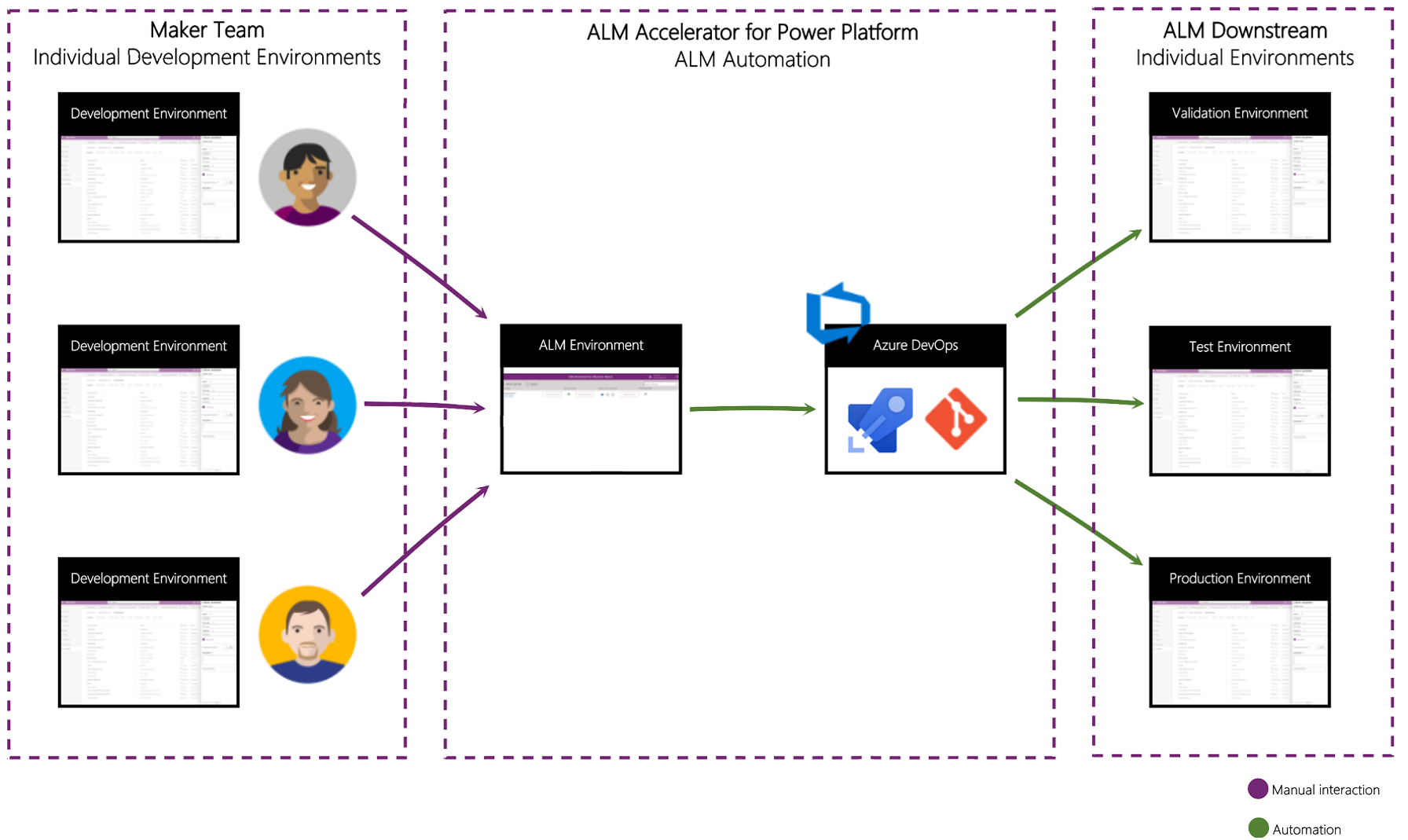
Deploying managed solutions in Microsoft Power Platform enables a structured, repeatable approach to delivering applications across environments like development, UAT, and production.
Managed solutions are locked and cannot be edited directly, making them ideal for controlled, production-grade deployments.
✅ Prerequisites
Before you begin, make sure you have:
- Access to the Power Platform Admin Center or Power Apps Maker Portal
- Permissions: System Administrator or Environment Maker
- The exported managed solution as a `.zip` file
- (Optional) ALM tools such as:
🛠️ Step-by-Step: Deploy a Managed Solution
1. Select the Target Environment
Go to the Power Apps Maker Portal and choose your destination environment from the top-right dropdown.
2. Open the Solutions Area
In the left-hand navigation, click on Solutions to access existing and deploy new solutions.
3. Start the Import Process
Click the Import button in the command bar.
4. Upload the Solution File
Click Choose File and upload the managed solution `.zip`.
Then click Next.
5. Review Import Summary
You'll see:
- Solution name and version
- Publisher
- Any missing dependencies
⚠️ If dependencies (like custom connectors or environment variables) are missing, the import may halt or require setup.
6. Configure Environment Variables
If required, enter values for variables such as:
- API endpoints
- Connection strings
These must be correctly set for your environment.
7. Complete the Import
Click Import. The process can take several minutes based on the solution size.
Once complete, a success or failure message will appear. Click Close to return to the solutions list.
🎯 Conclusion
Deploying managed solutions in Power Platform ensures:
- 🔒 Security
- 🔁 Repeatability
- 📈 Scalability
Our team offers hands-on support to help you deploy your first solution with confidence.
👉 Contact us to get expert guidance for your Power Platform rollout!